
 English
 اللغة العربية
  Bahasa Indonesia
  日本語
日本語  Bahasa Melayu
  ภาษาไทย
  Tiếng Việt
  简体中文
简体中文 Online meetings, losing one second = losing the other party's hard-earned money. In this era of efficiency above all, how can you hold a convenient and effective international meeting? DingTalk Meetings supports real-time subtitles with mutual translation in 21 languages, safeguarding enterprises' overseas operations; supports setting up a personalized glossary for more accurate voice-to-text conversion; and offers an upgraded simultaneous interpretation experience for interpreters, helping them translate more efficiently and conveniently. Features such as manually disconnecting audio devices, changing names during meetings, and assigning a new host enhance the overall meeting experience.
Online meetings,
losing one second = losing the other party's hard-earned money.
In this era where efficiency is paramount,
how can one conduct a convenient and effective international meeting?
DingTalk Meetings supports real-time subtitles with mutual translation in 21 languages, protecting and assisting enterprises' overseas operations; supports creating a personalized glossary for more precise voice-to-text conversion; and features improved interpreter-side experience during simultaneous interpretation to help interpreters work efficiently and conveniently. Other functions such as manually disconnecting audio devices during meetings, renaming participants during the meeting, and appointing a new host improve the meeting experience overall.
1. Subtitles Support Mutual Translation In 21 Languages
Smart captions now support mutual translation in a total of 21 languages, including Simplified Chinese, English, Japanese, Korean, Thai, Indonesian, French, and more, making international collaboration smoother and protecting enterprises during overseas operations.
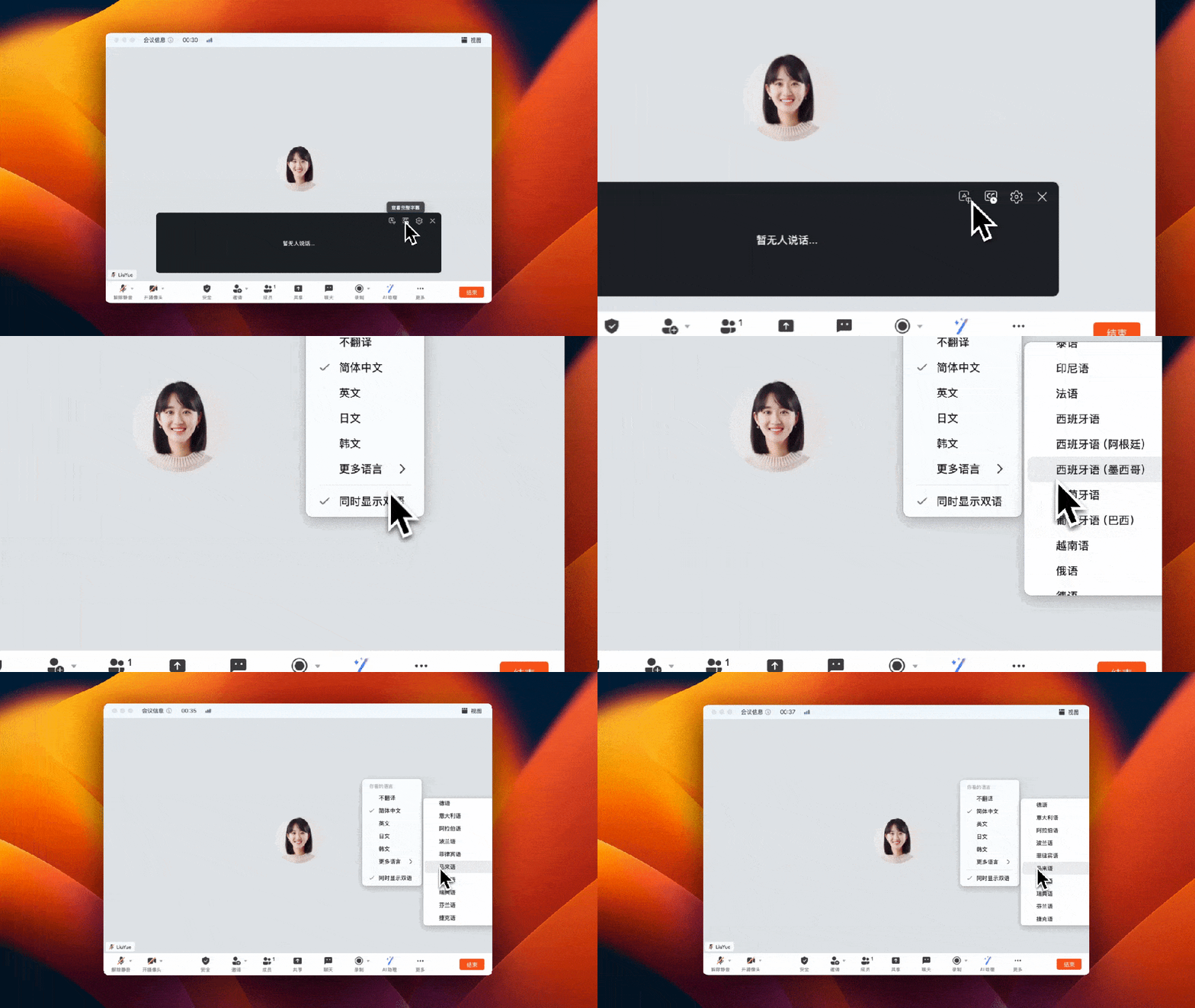
2. Support for Setting Up a Personal Glossary
You can now add your personal glossary by using the "Captions" → "Glossary Settings" function, increasing voice-to-text accuracy and providing a better user experience.

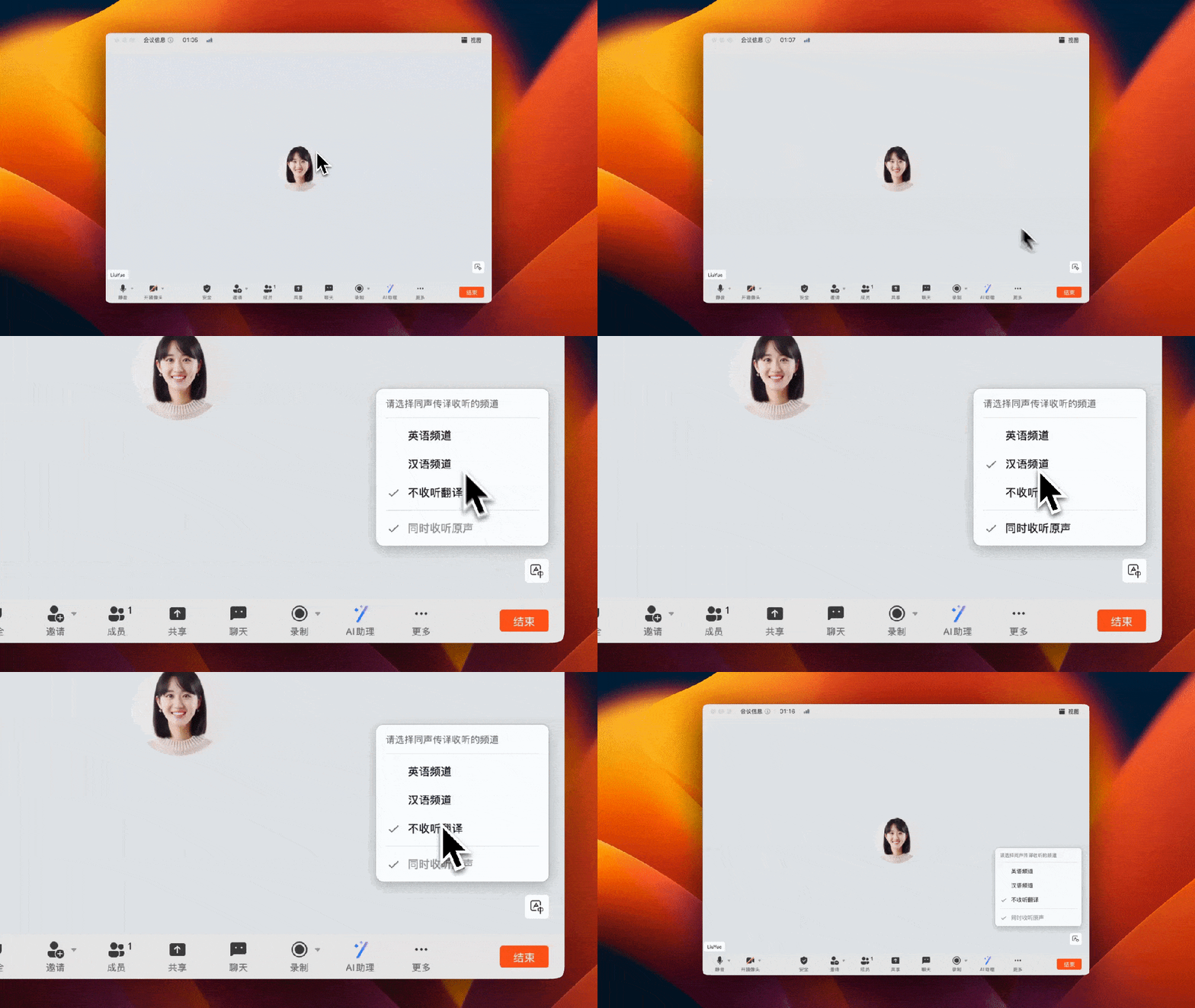
3. Enhanced Interpreter-Side Simultaneous Interpretation Experience
In simultaneous interpretation scenarios, the volume of original audio is intelligently adjusted when listeners are enjoying translations to ensure seamless multilingual listening. Additional features on the interpreter side include a fixed channel selection window, pre-selecting the target language output, faster channel switching, and failure alerts, helping interpreters to translate more efficiently and conveniently.
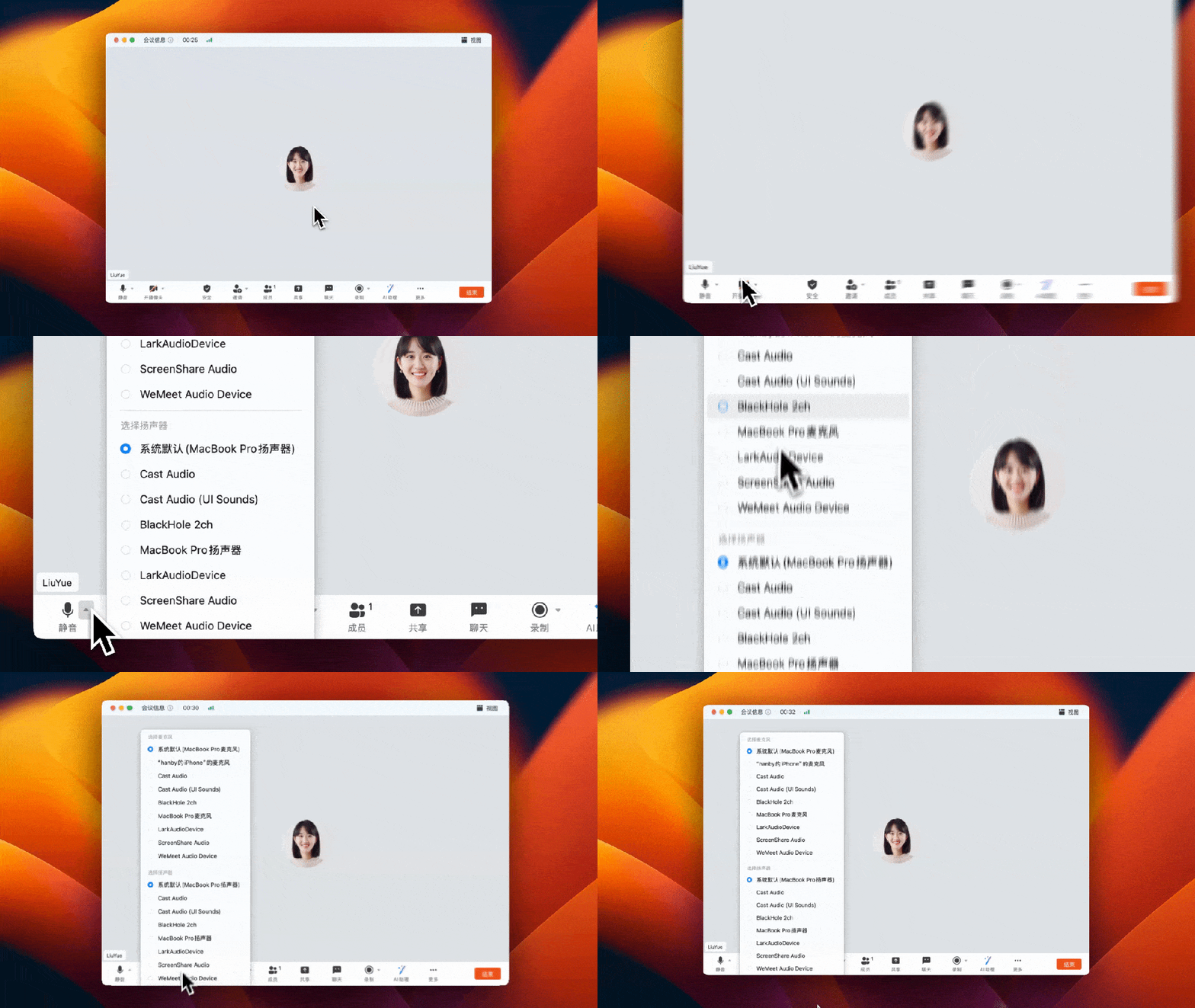
4. Support for Manually Choosing to Disconnect Audio Devices
When multiple audio devices are connected in an offline meeting room, the “disconnect audio” feature allows you to streamline the devices, avoiding echo interference, and optimizing your meeting experience.
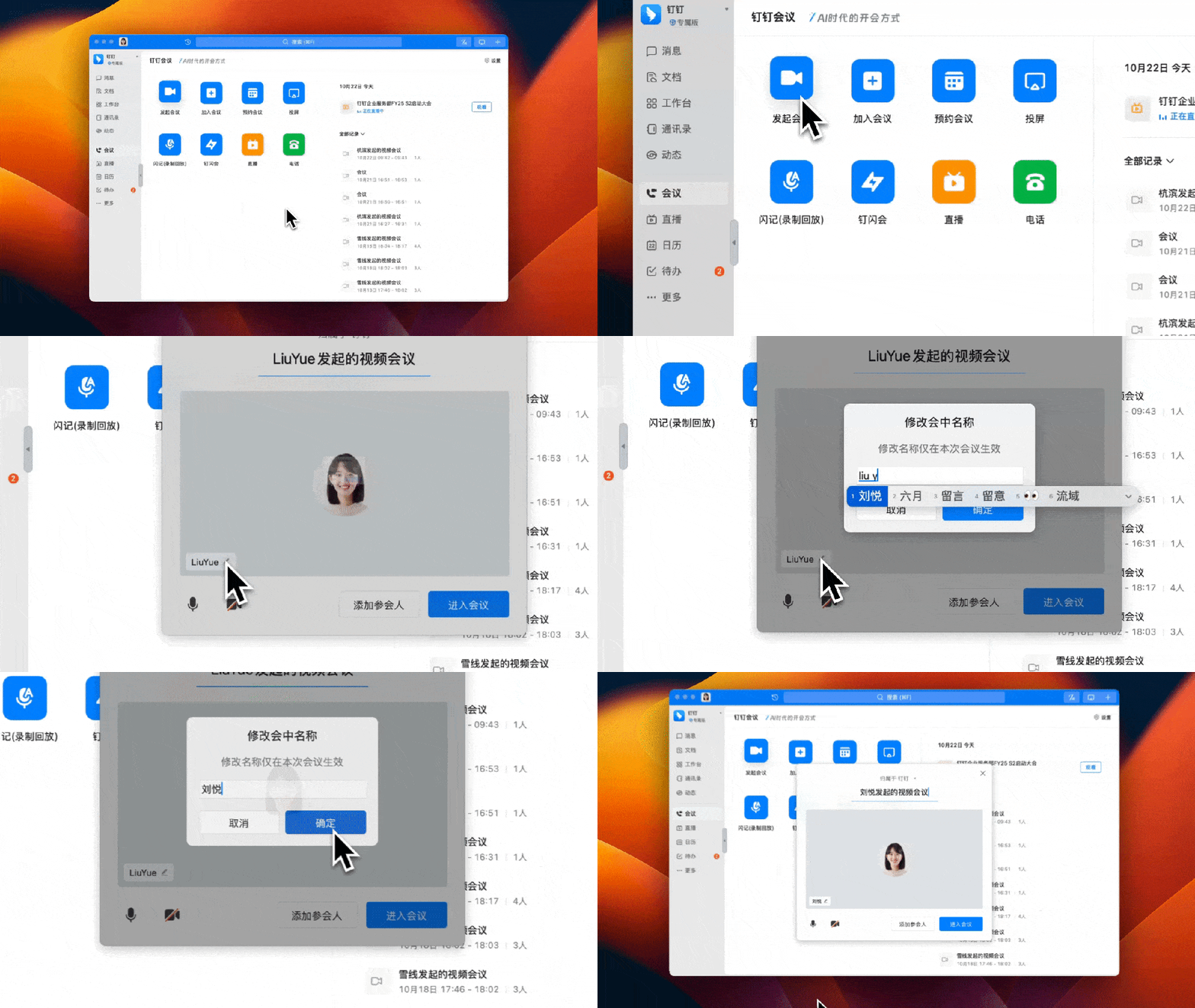
5. Supports Modifying the Name During the Meeting When Initiating or Joining
No need to wait until you've joined the meeting. Video meetings now support changing the name during the meeting when initiating or joining, better matching meeting scenarios like team meetings or business meetings that need uniform naming standards.
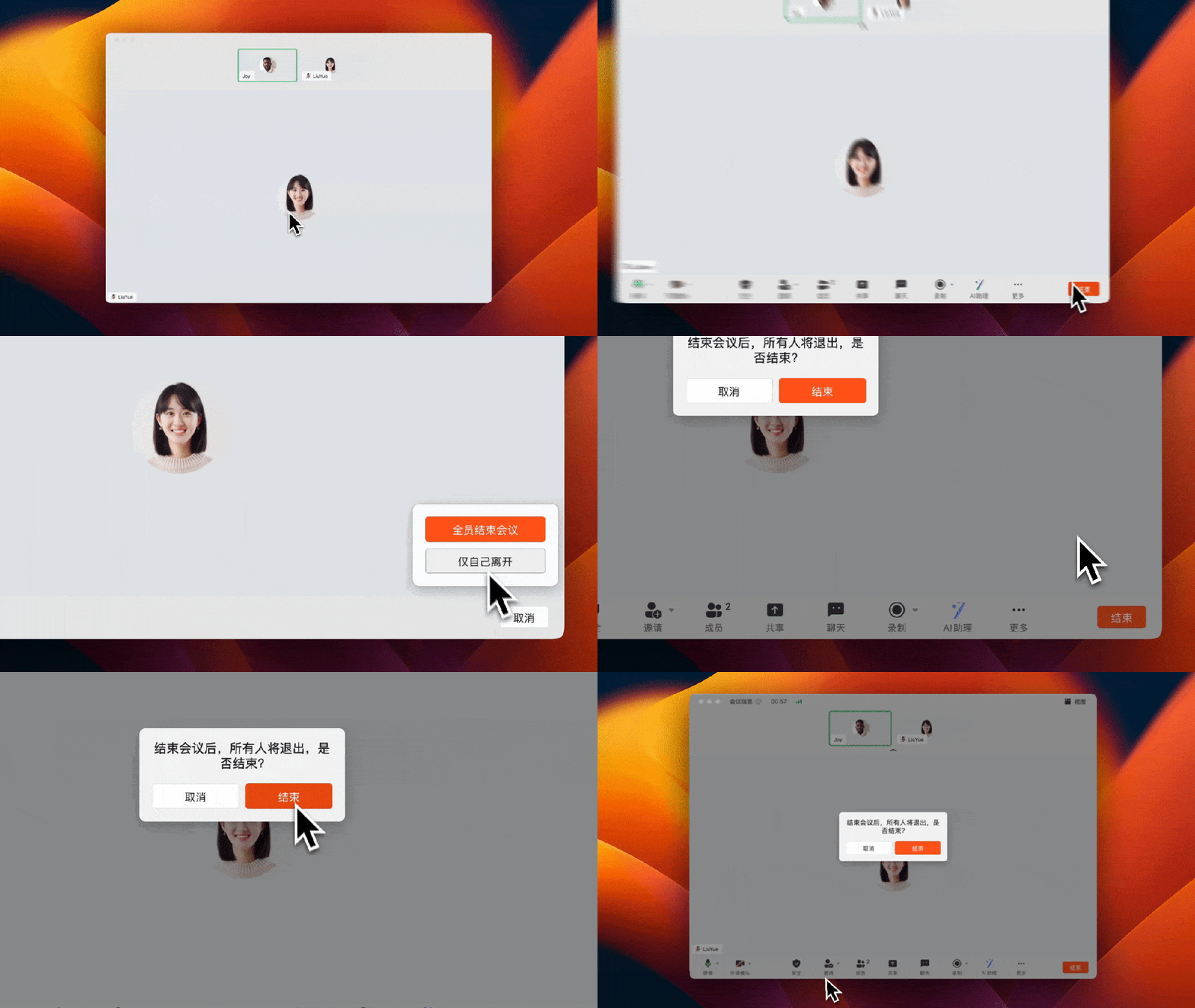
6. Supports Assigning a New Host When Leaving the Meeting
When the host ends the meeting, a confirmation pop-up is added; if leaving the meeting mid-way, a new host can be specified to prevent misoperation and ensure the meeting runs smoothly and orderly.
Using DingTalk: Before & After
Before
- × Team Chaos: Team members are all busy with their own tasks, standards are inconsistent, and the more communication there is, the more chaotic things become, leading to decreased motivation.
- × Info Silos: Important information is scattered across WhatsApp/group chats, emails, Excel spreadsheets, and numerous apps, often resulting in lost, missed, or misdirected messages.
- × Manual Workflow: Tasks are still handled manually: approvals, scheduling, repair requests, store visits, and reports are all slow, hindering frontline responsiveness.
- × Admin Burden: Clocking in, leave requests, overtime, and payroll are handled in different systems or calculated using spreadsheets, leading to time-consuming statistics and errors.
After
- ✓ Unified Platform: By using a unified platform to bring people and tasks together, communication flows smoothly, collaboration improves, and turnover rates are more easily reduced.
- ✓ Official Channel: Information has an "official channel": whoever is entitled to see it can see it, it can be tracked and reviewed, and there's no fear of messages being skipped.
- ✓ Digital Agility: Processes run online: approvals are faster, tasks are clearer, and store/on-site feedback is more timely, directly improving overall efficiency.
- ✓ Automated HR: Clocking in, leave requests, and overtime are automatically summarized, and attendance reports can be exported with one click for easy payroll calculation.
Operate smarter, spend less
Streamline ops, reduce costs, and keep HQ and frontline in sync—all in one platform.
9.5x
Operational efficiency
72%
Cost savings
35%
Faster team syncs
Want to a Free Trial? Please book our Demo meeting with our AI specilist as below link:
https://www.dingtalk-global.com/contact
