
 English
 اللغة العربية
  Bahasa Indonesia
  日本語
日本語  Bahasa Melayu
  ภาษาไทย
  Tiếng Việt
  简体中文
简体中文 In today's fast-paced work and life, efficient and convenient communication methods are essential. DingTalk Meetings continues to launch multiple quick join options, enabling users to rapidly join meetings through WeChat, calendars, or meeting links. Recently, the multi-device join function was introduced, bringing users a refreshing meeting experience. Whether you need flexible switching among different devices or you're pursuing efficiency in quickly joining meetings, DingTalk Meetings meets your needs. Image - Multi-device Join. Multi-device combinations at ease. The new feature of DingTalk Meetings, multi-device join, allows up to 5 devices to join a meeting simultaneously, with options to switch microphones and cameras, solving issues such as desktops without headphones, switching devices mid-meeting, and multi-device collaboration. Now you can experience watching the screen-sharing content on your computer, speaking via your phone's microphone, and making annotations synchronously via your tablet, enhancing the video meeting experience to a new level!
In today's fast-paced work and life, efficient and convenient communication methods are crucial.
DingTalk Meetings continuously releases various quick joining ways, enabling rapid entry to meetings through WeChat, calendar, and meeting links. Recently, a new multi-device joining function has been launched, bringing users a refreshed meeting experience.
Whether you need the flexibility to switch between different devices or the efficiency of quick meeting entry, DingTalk Meetings can meet your needs.
Join via Multiple Devices
Combine Multiple Devices Freely
The new feature of DingTalk Meetings: Join via multiple devices, up to 5 devices can join simultaneously while allowing switchover between microphones and cameras. It solves problems such as desktops without headphones, changing devices mid-meeting, and collaboration across multiple devices.
Now you can experience viewing screen-sharing content on your computer, speaking via your phone's microphone, and making synchronous annotations on your tablet—taking the video conferencing experience to the next level!
Join by Call
Real-time Meeting Reminders, No Waiting Necessary
When starting an online meeting, perhaps your usual practice is being invited into the meeting, and you might receive various prior and during meeting reminders or be called into the meeting. Upon being called, the invitee will receive a meeting call notification on DingTalk.
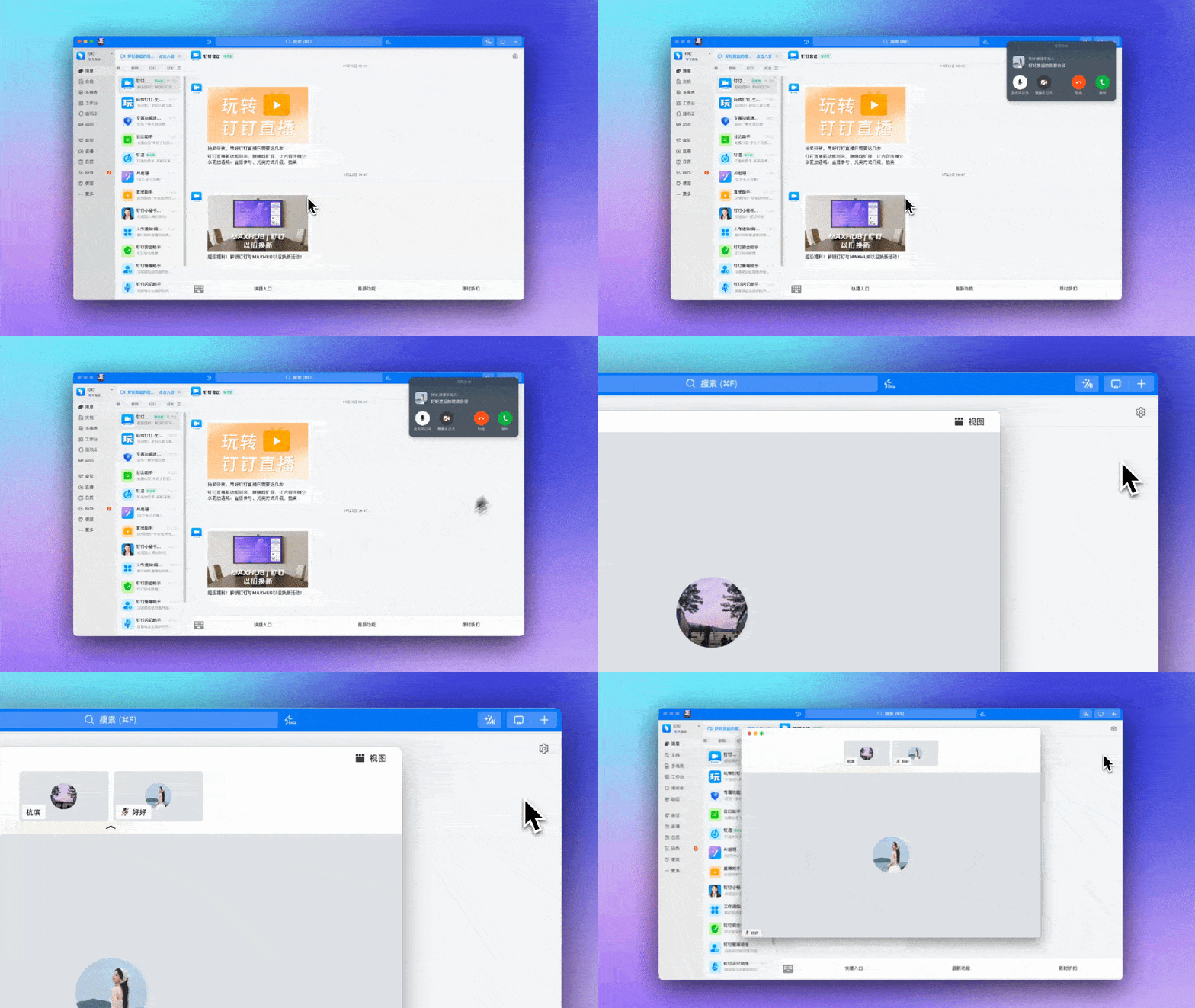
Self-initiated Meeting Join
Smooth Access Through Various Methods
In fact, you can also initiate joining a meeting yourself, through means like meeting cards, meeting numbers, join links, meeting lists, calendars, and quick entries in the notification bar to participate in the video conference.
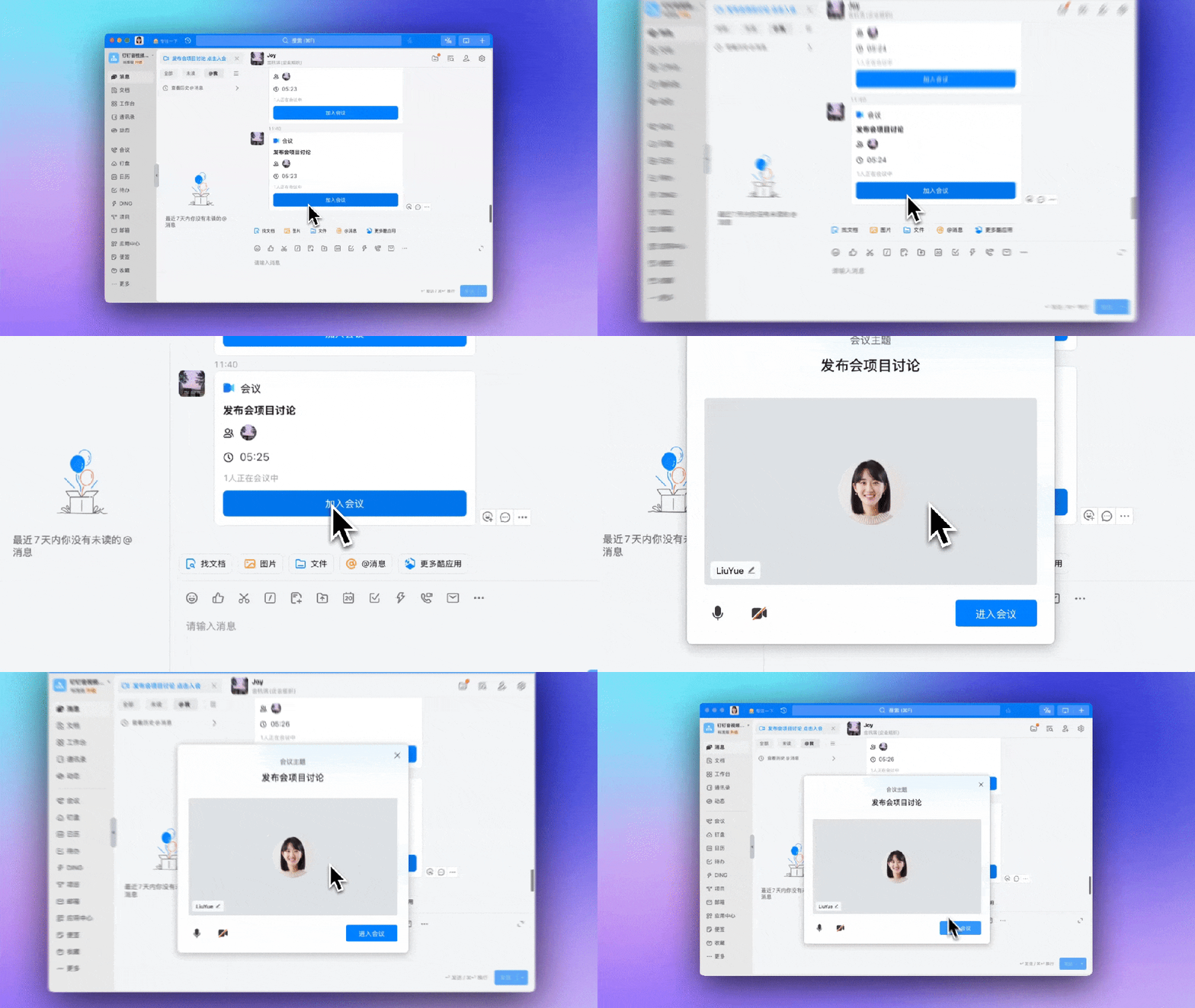
Meeting Card: Click the meeting card sent by the other party in the chat window, then click Join Meeting below.
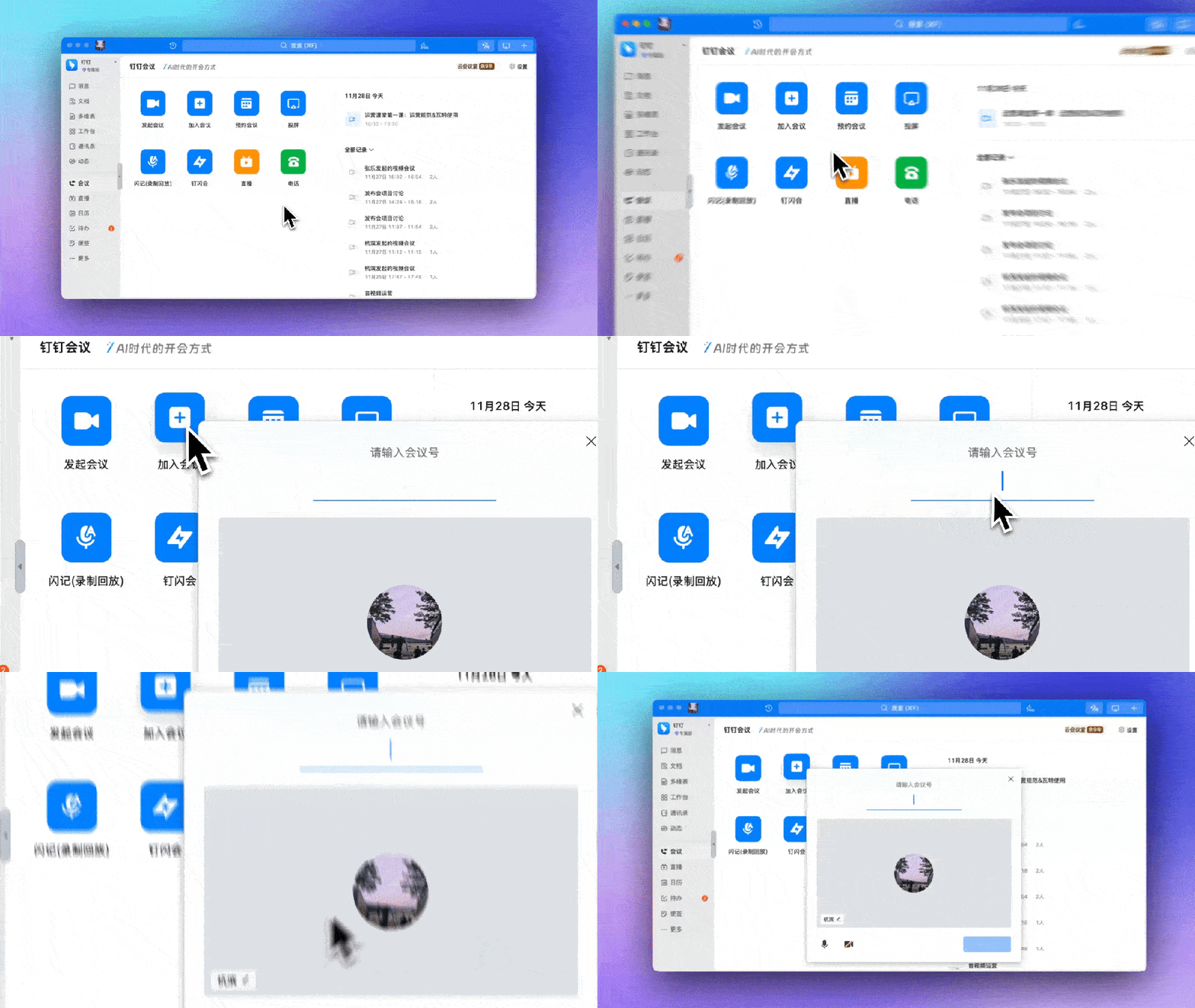
Meeting Number: After logging into the DingTalk PC client, click the Meeting icon on the left side of the client, click Join Meeting, enter the meeting number, and join the meeting.
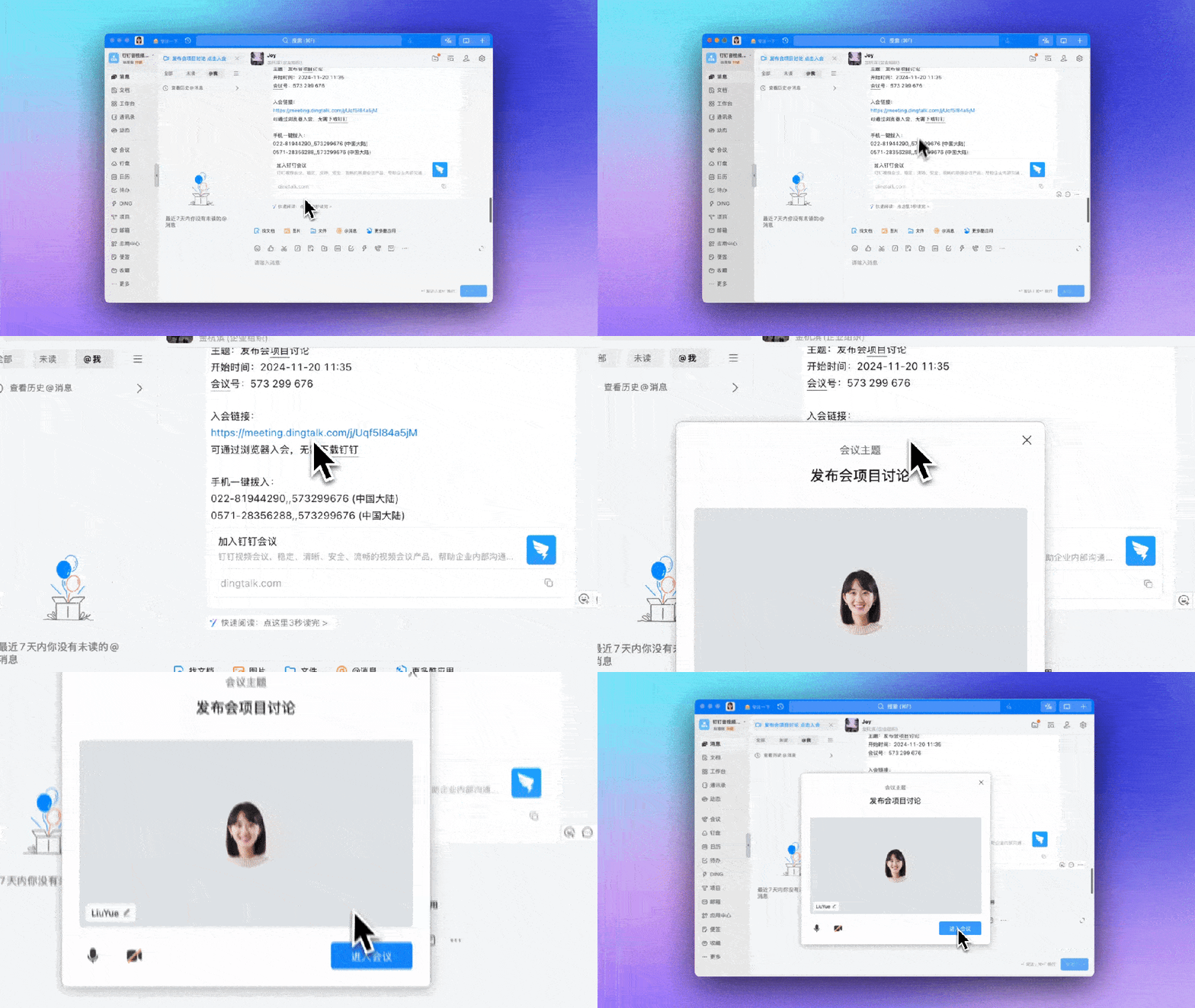
Meeting Link: Click the meeting link sent by the other party in the chat window, then click Join Meeting below.
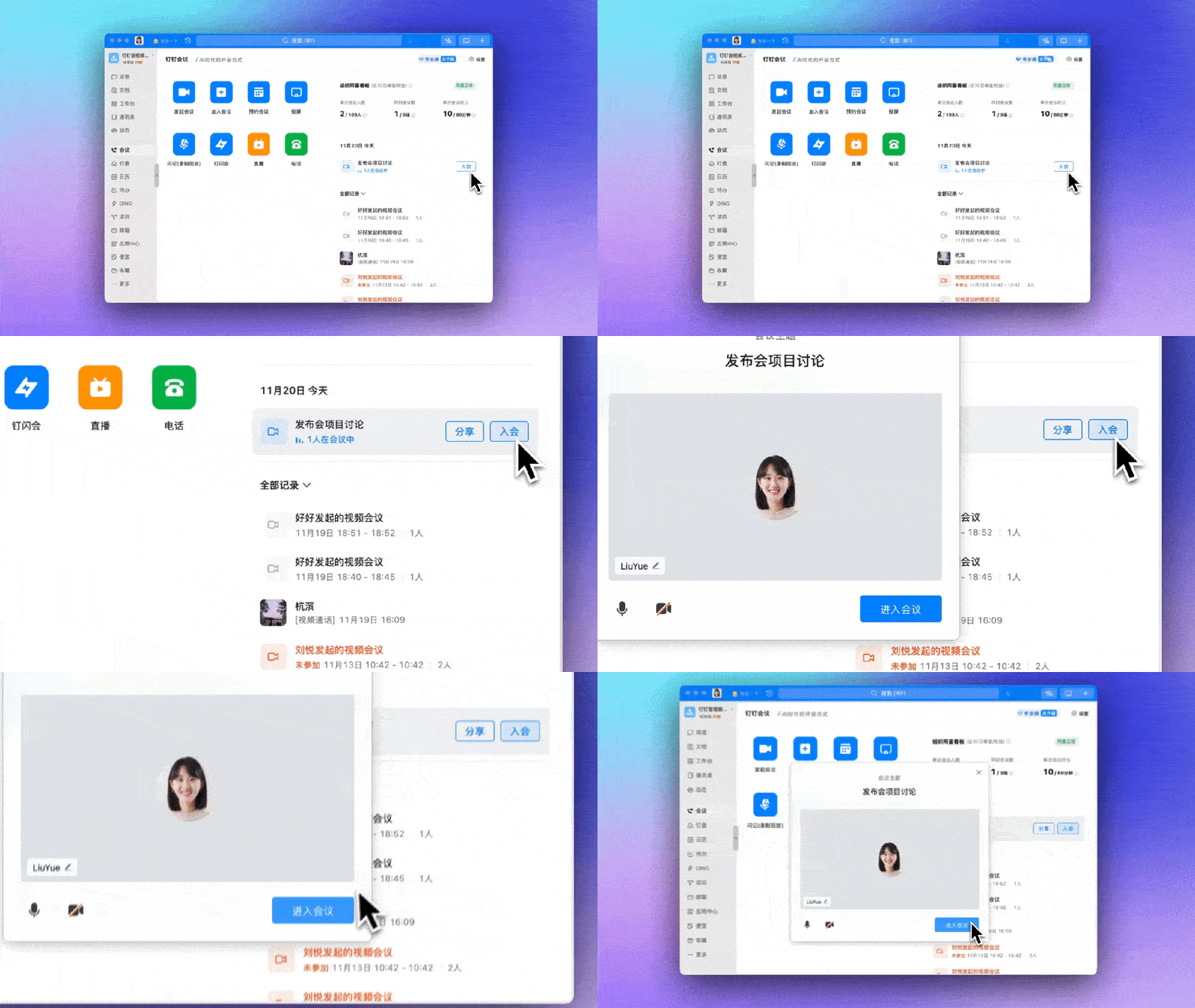
Meeting List: Open the DingTalk PC client and log in, click the Meeting icon on the left side of the client, check the meeting you want to join in the meeting list on the right, then click to join the meeting.
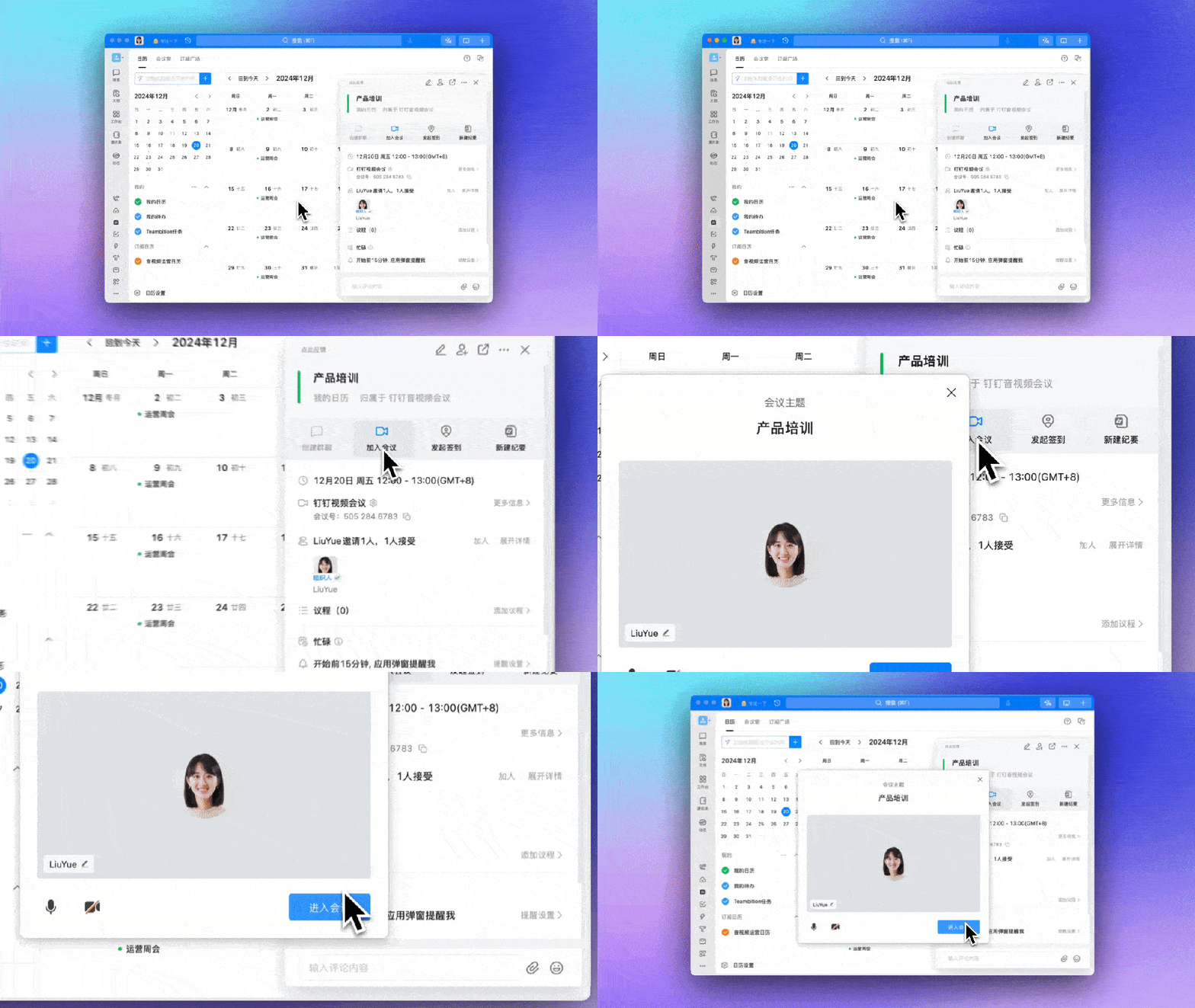
Calendar: Open and log in to the DingTalk PC client, click the calendar icon on the left, click to choose the meeting you want to join.
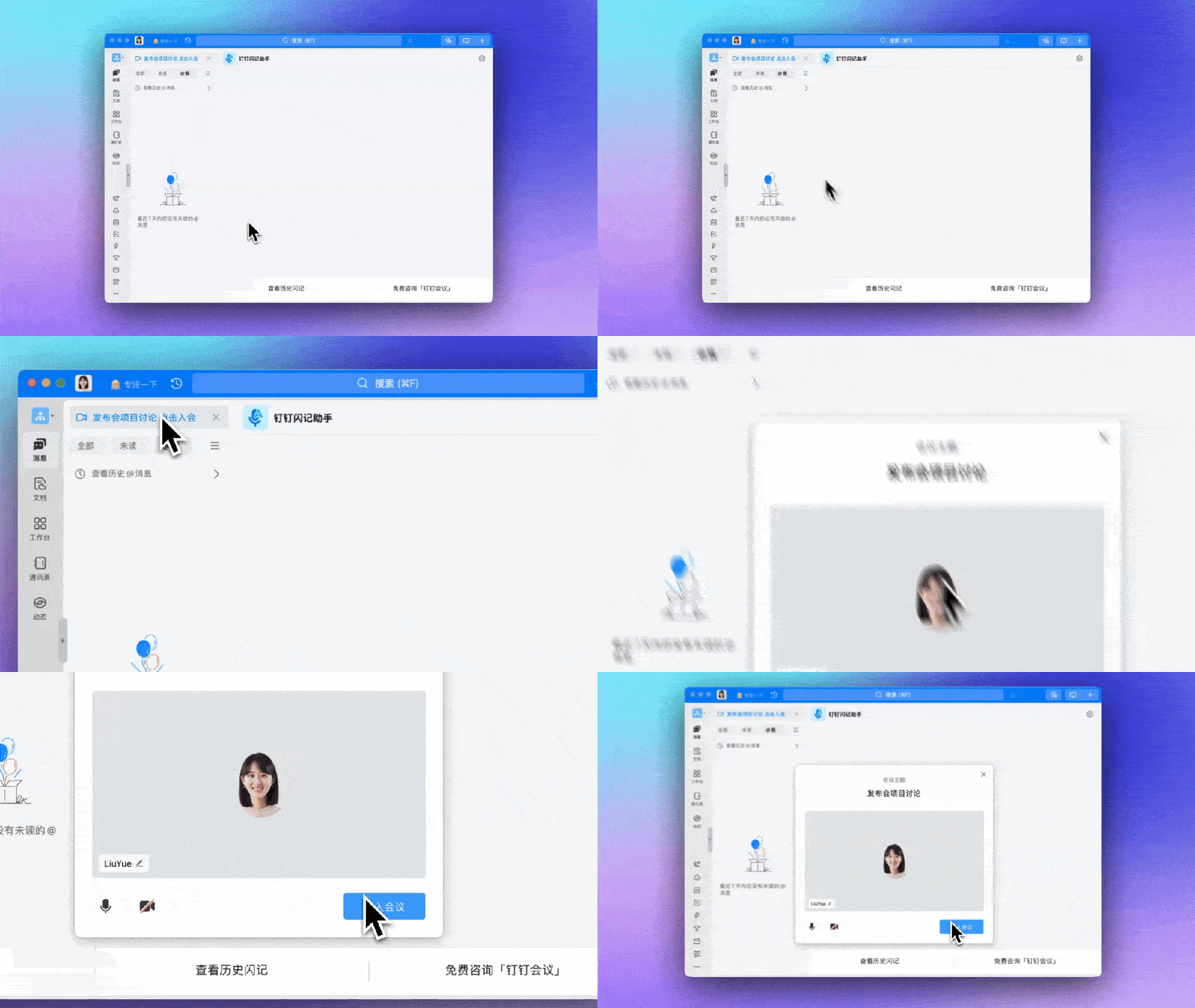
Notification Bar: Ongoing meetings can be joined quickly via the blue notification bar on top of the PC chat list.
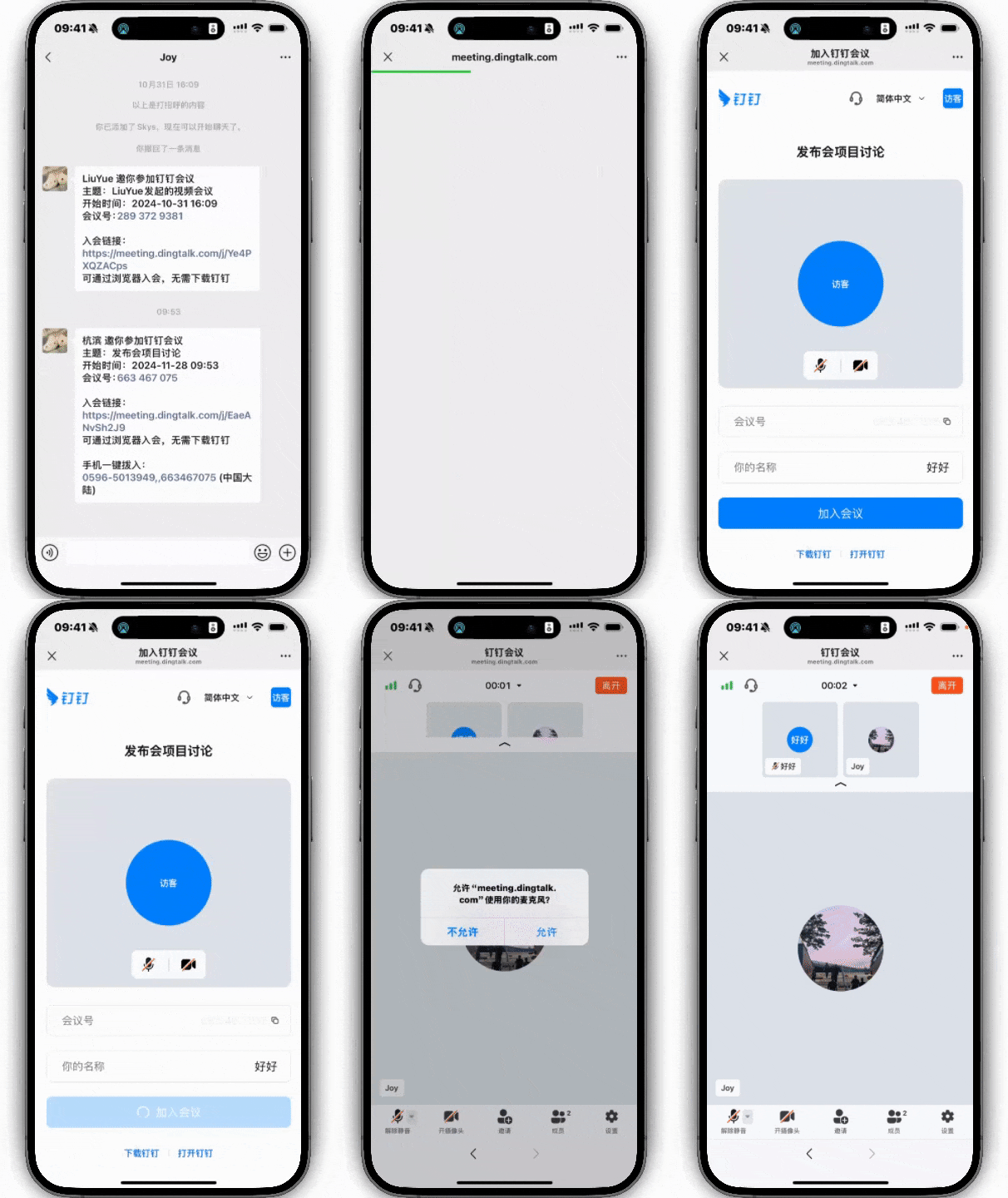
Join via WeChat
Join DingTalk Meetings Without Downloading DingTalk
Directly join DingTalk Meetings within WeChat (or browser) via the meeting link or meeting number, no need to register or download DingTalk, just verify your mobile phone number and join the meeting.
Using DingTalk: Before & After
Before
- × Team Chaos: Team members are all busy with their own tasks, standards are inconsistent, and the more communication there is, the more chaotic things become, leading to decreased motivation.
- × Info Silos: Important information is scattered across WhatsApp/group chats, emails, Excel spreadsheets, and numerous apps, often resulting in lost, missed, or misdirected messages.
- × Manual Workflow: Tasks are still handled manually: approvals, scheduling, repair requests, store visits, and reports are all slow, hindering frontline responsiveness.
- × Admin Burden: Clocking in, leave requests, overtime, and payroll are handled in different systems or calculated using spreadsheets, leading to time-consuming statistics and errors.
After
- ✓ Unified Platform: By using a unified platform to bring people and tasks together, communication flows smoothly, collaboration improves, and turnover rates are more easily reduced.
- ✓ Official Channel: Information has an "official channel": whoever is entitled to see it can see it, it can be tracked and reviewed, and there's no fear of messages being skipped.
- ✓ Digital Agility: Processes run online: approvals are faster, tasks are clearer, and store/on-site feedback is more timely, directly improving overall efficiency.
- ✓ Automated HR: Clocking in, leave requests, and overtime are automatically summarized, and attendance reports can be exported with one click for easy payroll calculation.
Operate smarter, spend less
Streamline ops, reduce costs, and keep HQ and frontline in sync—all in one platform.
9.5x
Operational efficiency
72%
Cost savings
35%
Faster team syncs
Want to a Free Trial? Please book our Demo meeting with our AI specilist as below link:
https://www.dingtalk-global.com/contact
